

Software licensing costs eat up 15-25% of IT budgets in Saudi banks. As banks race to digitize and meet Vision 2030 goals, getting enterprise licensing right isn’t just about saving money. It’s about staying competitive.
The problem? Most banks waste money on unused licenses, over-provisioned accounts, and messy subscription management. With the right approach, Saudi banks can cut licensing costs by 20-40% without compromising security or productivity.
This guide breaks down exactly how Saudi banks can optimize their enterprise licensing investments, particularly for Microsoft products that have become the backbone of banking operations.
Understanding Enterprise Licensing in Banking
What is Enterprise Licensing?
Enterprise licensing is bulk software licensing—buying wholesale instead of retail. Instead of purchasing individual licenses, banks sign volume agreements that cover multiple users, devices, or locations under one contract.
For Saudi banks, Microsoft Enterprise solutions dominate: Microsoft 365 Enterprise, Windows 365, Office 365 E3 (O365 E3), and related products run everything from email to compliance tools. Getting these licenses right matters because the wrong mix can cost millions annually.
The Three Core Licensing Models
Per-User Licensing Each employee gets their own license. This works for Microsoft E3 license and Microsoft 365 E5 subscriptions. It’s flexible but demands tight management—leave licenses on inactive accounts and watch money vanish.
Device-Based Licensing Licenses stick to specific devices, not people. Perfect for shared workstations in branch networks where multiple tellers use the same terminal.
Subscription-Based Licensing The modern standard. Office 365 E3 and Windows 365 E3 run on subscriptions with predictable monthly costs and automatic updates. Those monthly fees add up fast over three years if you’re not careful.
Microsoft Enterprise Licensing: E1, E3, and E5 Compared
Getting the E1/E3/E5 mix wrong costs Saudi banks more than almost any other licensing mistake. Here’s what you need to know:
E1 License: The Foundation
E1 gives you cloud basics—Exchange Online, SharePoint, Teams, OneDrive. It’s web-only, no desktop Office apps. Use it for contractors, temporary staff, or employees who only need email and basic collaboration. It costs around $8 per user monthly.
E3 License: The Banking Standard
The Microsoft E3 license hits the sweet spot for most banking staff. You get full desktop Office apps (Word, Excel, PowerPoint, Outlook), plus the security tools SAMA regulations demand: Azure Information Protection, Data Loss Prevention (DLP), mobile device management.
Most Saudi banks run primarily on O365 E3 or Microsoft 365 E3 (which bundles O365 E3 with Windows and security tools). Office 365 E3 costs $23 per user monthly, while Microsoft 365 E3 runs $32-36 per user monthly. This is your bread-and-butter license that includes everything core banking employees need.
E5 License: Premium Security and Compliance
Microsoft 365 E5 is the premium tier at $54-57 per user monthly. You get advanced threat protection, insider risk management, advanced eDiscovery, and Power BI Pro.
Here’s the thing: most employees don’t need these features. Reserve E5 for executives, compliance teams, treasury operations, and other high-risk roles handling sensitive data. Using E5 for everyone is like buying luxury cars when sedans work fine.
Strategic Enterprise Licensing Optimization for Saudi Banks
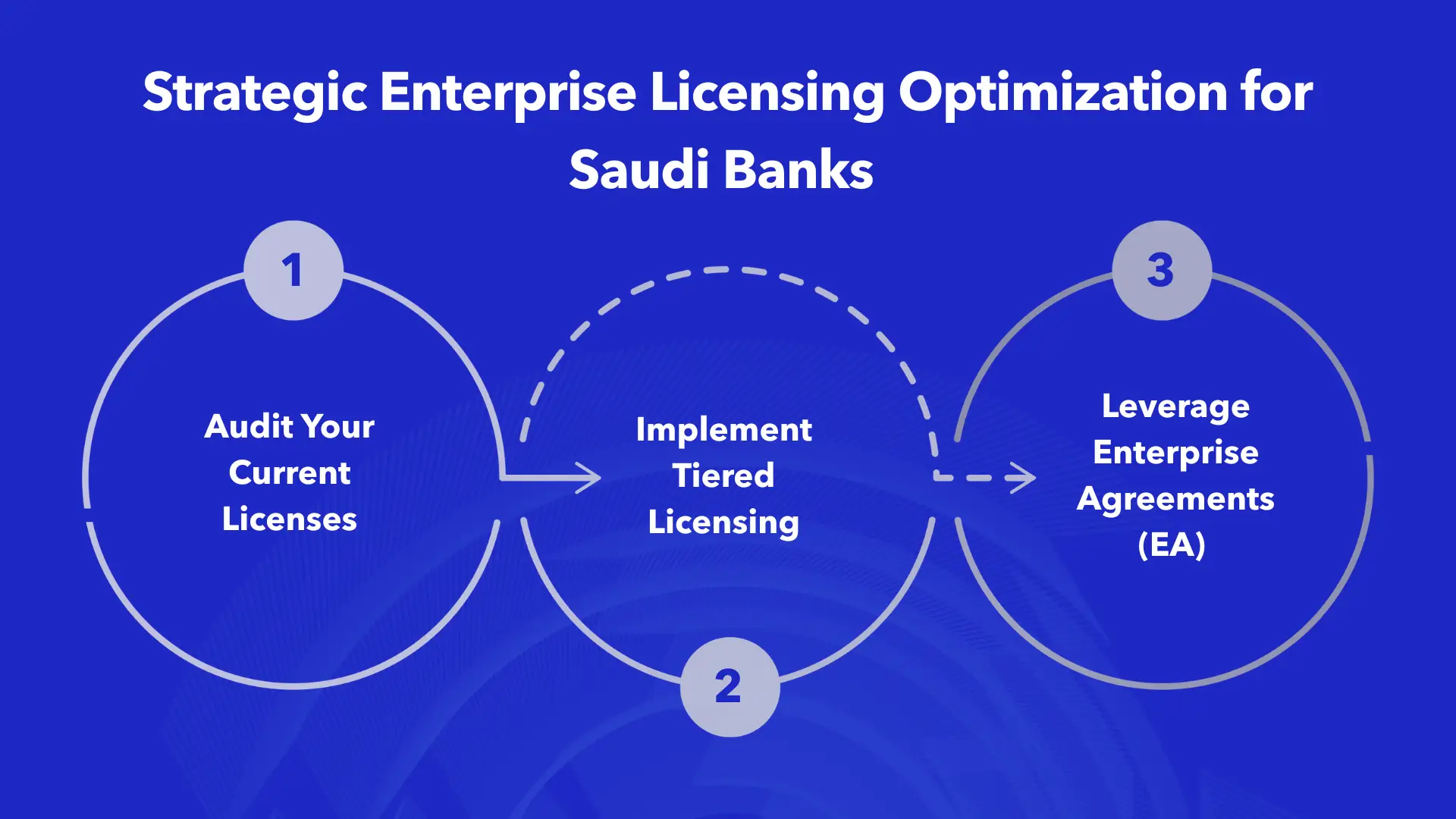
1. Audit Your Current Licenses
Start here. Pull reports from your Microsoft 365 admin center and look at actual usage. Saudi banks routinely find that 20-40% of licenses are wasted on:
- Inactive user accounts
- Departed employees still consuming licenses
- People assigned E5 when they only need E3
- Licensed features nobody uses
2. Implement Tiered Licensing
Stop giving everyone the same license level. Segment users based on actual needs:
- Executive and compliance teams: Microsoft 365 E5 (advanced security required)
- Core banking staff: Microsoft E3 license (full productivity suite)
- Branch tellers and support: E1 licenses (basic collaboration only)
- Contractors and temps: Flexible E1 subscriptions
This tiered approach typically cuts annual licensing costs by 25-35%.
3. Leverage Enterprise Agreements (EA)
CRITICAL UPDATE (November 2025): Microsoft eliminated automatic volume discounts (Level A-D pricing) for online services in Enterprise Agreements effective November 1, 2025. Previously, large organizations could get 6-12% automatic discounts based on volume (Level B: 6%, Level C: 9%, Level D: 12%). Those are gone.
However, Enterprise Agreements still offer benefits for banks with 500+ employees:
- Price protection during the 3-year term (locks in pricing against future increases)
- Negotiated custom discounts (no longer automatic, but can be negotiated on a case-by-case basis)
- Simplified management and compliance tracking
- Software Assurance benefits including automatic updates and upgrade rights
- Flexible deployment rights to move licenses between users as needed
Organizations with 10,000+ seats can still negotiate substantial discounts—potentially 25-45% off list prices through custom agreements, though this requires strategic negotiation rather than automatic tiers.
For more information on Enterprise Agreements, visit Microsoft’s Volume Licensing page.
EA Licensing Models: Understanding Your Options
What is Microsoft EA Licensing?
Microsoft EA licensing packages everything under one three-year contract with predictable annual payments. For Saudi banks, this typically covers Microsoft 365 Enterprise, Windows, and server products.
The beauty of EA: centralized management and standardized deployments across your entire organization. No more tracking dozens of separate agreements across departments.
EA Licensing Benefits for Banking
- Price protection: Locks in pricing for 3 years against market increases
- Simplified compliance: One agreement, one audit
- Flexible deployment: Move licenses between users as needed
- Software Assurance: Automatic updates included
- Custom negotiated discounts: For strategic commitments and large volumes
You’re locked in for three years, so negotiate the right terms upfront. Renegotiating mid-contract costs extra.
Cost Optimization Strategies
1. Right-Size Your License Portfolio
Pull detailed usage analytics for Office O365 E3 and Microsoft 365 E5 deployments. Look for:
- Users who haven’t logged in for 90+ days
- People not using advanced security features
- Departments over-provisioned with premium licenses
Downgrade aggressively. If someone doesn’t use advanced compliance tools or threat protection, they don’t need E5—move them to O365 E3 and pocket the $20-30 monthly difference per user.
2. Optimize Hybrid Work Licensing
Windows 365 E3 cloud PCs sound appealing for hybrid work but run the numbers carefully. Cloud PC licensing can cost more than traditional desktop licensing for permanent staff. Consider Windows 365 for:
- Contractors and short-term employees
- Disaster recovery scenarios
- Rapid scaling during peak periods
For permanent employees, traditional licensing usually costs less.
3. Consolidate and Standardize
Saudi banks often have departments buying subscriptions independently, creating overlapping licenses and blown budgets. Consolidate to standardized Microsoft 365 Enterprise tiers organization-wide. Benefits:
- Potential for better negotiated discounts
- Easier management
- Reduced administrative overhead
- Elimination of redundant tools
Compliance and Governance
SAMA’s Cyber Security Framework drives many licensing decisions for Saudi banks. The framework, introduced in May 2017, mandates strict security controls including:
- Multi-factor authentication (MFA) for privileged and remote access
- Data Loss Prevention (DLP) capabilities
- Azure Information Protection
- Mobile device management
- Incident response capabilities
Learn more about SAMA requirements at SAMA’s official website and the SAMA Cyber Security Framework rulebook.
Security Requirements Driving E3/E5 Decisions
The Microsoft E3 license includes essential security features like Azure Information Protection and conditional access—enough to meet most SAMA requirements for general banking staff.
But treasury, wealth management, and executive teams need more. Microsoft 365 E5 provides:
- Advanced Threat Protection
- Insider risk management
- Advanced eDiscovery
- Cloud App Security
- Information governance at enterprise scale
These features justify the premium enterprise licensing cost for high-risk roles handling sensitive financial data.
License Management and Compliance Tracking
Set up automated tracking. Monitor Office O365 E3 and Microsoft 365 E5 usage continuously to:
- Ensure compliance (under-licensing creates audit risk)
- Identify optimization opportunities (over-licensing wastes money)
- Track license assignments and reclamations
Under-licensing can trigger penalties from Microsoft audits. Over-licensing just burns cash. Find the balance through disciplined governance.
Future-Proofing Your Enterprise Licensing Strategy
Cloud-First Licensing
Microsoft 365 Enterprise subscriptions offer flexibility as banking goes digital. Windows 365 E3 cloud PCs support business continuity and disaster recovery, potentially reducing enterprise licensing complexity.
But don’t jump blindly. Cloud-first sounds good until you see the long-term subscription costs. Run thorough cost-benefit analyses.
AI and Automation Impact
AI features like Microsoft Copilot are arriving in Microsoft Enterprise products. These typically require premium licensing tiers (currently available as add-ons to E3/E5 licenses). With promotions ending, Copilot pricing is stabilizing around standard rates.
Banks that optimize base licensing now will have budget flexibility to adopt AI tools later without breaking the bank. For more on Microsoft’s AI offerings, check Microsoft 365 Copilot documentation.
How Alnafitha Supports Enterprise Licensing Optimization
Saudi banks looking to optimize enterprise licensing investments benefit from working with Microsoft solution experts. Alnafitha specializes in helping financial institutions cut licensing costs while maintaining security and compliance.
Expert Enterprise Licensing Consulting
Alnafitha’s team audits your current Microsoft E3 license, O365 E3, and Microsoft 365 E5 deployments to find savings. They help banks:
- Right-size subscriptions based on actual usage
- Negotiate better EA terms with Microsoft
- Implement governance frameworks that prevent waste
- Design tiered licensing strategies aligned with SAMA requirements
Learn more about Alnafitha’s Microsoft licensing services.
Microsoft 365 Enterprise Implementation
Beyond cost optimization, Alnafitha handles end-to-end Microsoft 365 Enterprise deployment:
- Office O365 E3 migration from legacy systems
- Windows 365 E3 cloud PC implementation
- Security configuration aligned with SAMA Cyber Security Framework
- User training and change management
Their modern workplace solutions ensure licensing investments deliver actual value, not just theoretical savings on paper.
Cybersecurity and Compliance Support
Alnafitha provides full-scale cybersecurity solutions that complement your enterprise licensing strategy:
- Implementation of identity and access management
- Risk and compliance frameworks
- Endpoint security
- SAMA compliance audits and assessments
Ongoing License Management
Alnafitha offers managed services for continuous enterprise licensing optimization. Their IT management solutions team:
- Monitors Microsoft Enterprise usage in real-time
- Tracks compliance with licensing agreements
- Recommends adjustments as banking operations evolve
- Handles license reclamation and reassignment
This proactive management helps banks adapt to changing needs without constantly renegotiating contracts or paying for unused licenses.
Practical Steps for Immediate Savings
1. Conduct License Usage Audit
Log into Microsoft 365 admin center today. Pull usage reports for Office O365 E3 and Microsoft 365 E5 licenses. Flag:
- Inactive accounts (90+ days no login)
- Users with licenses but zero feature usage
- Premium licenses assigned inappropriately
This audit usually reveals 15-25% immediate savings opportunities.
2. Implement License Reclamation Process
Set up automated workflows:
- Automatically reclaim licenses 30 days after employee termination
- Flag accounts inactive for 60+ days for review
- Quarterly reviews of license assignments vs. actual usage
Banks lose thousands of riyals monthly on Microsoft E3 license and O365 E3 subscriptions assigned to people who no longer work there. Stop it.
3. Negotiate with Microsoft or Partners
Enterprise Agreement renewal coming up? Don’t just re-sign. Engage Microsoft or authorized partners to:
- Review current enterprise licensing commitments
- Restructure agreements based on actual needs
- Negotiate custom pricing and terms (especially important post-November 2025)
- Eliminate unused products or features
EA renewals are your best leverage point for major savings. Use it.
4. Standardize on Core Platforms
Look at departmental subscriptions. You’ll likely find overlapping tools that duplicate Office O365 E3 capabilities. Consolidate to standardized Microsoft 365 Enterprise tiers. Kill redundant point solutions.
This rationalization cuts complexity and costs. Many banks save significant amounts annually by properly leveraging existing Microsoft 365 Enterprise licenses.
Conclusion: Strategic Enterprise Licensing as Competitive Advantage
Optimizing enterprise licensing isn’t just about cutting costs. It’s about freeing up a budget for innovation that actually differentiates your bank in the market.
The winning formula balances three things: cost efficiency, security compliance, and user productivity. Get the mix right with tiered enterprise licensing strategies, proper EA management, and disciplined governance, and banks typically cut Microsoft Enterprise costs by 20-40% while actually improving service delivery.
For Saudi banks ready to fix their enterprise licensing situation, professional help pays for itself quickly. Whether you’re choosing between Microsoft E3 license and Microsoft 365 E5 for different teams, negotiating Enterprise Agreements in the new post-discount era, or implementing cloud-first strategies with Windows 365 E3, experienced partners navigate complex decisions with you.
Banking in Saudi Arabia is going digital fast. Smart enterprise licensing management ensures every Riyal spent on Microsoft 365 Enterprise, Office O365 E3, and related solutions delivers actual value—funding current operations and future innovation.
Optimize Your Enterprise Licensing Now
Contact Alnafitha today for an integrated enterprise licensing assessment. Their Microsoft Enterprise specialists will:
- Analyze your current O365 E3, Microsoft 365 E5, and Windows 365 E3 deployments
- Identify specific savings opportunities with dollar amounts
- Develop a customized optimization strategy
- Implement changes that deliver measurable results
Learn more about Alnafitha’s complete IT services and their experience serving financial institutions across Saudi Arabia.