
Quick takeaway: Most CRM platforms marketed in the Kingdom now offer an Arabic toggle, but a toggle is not localization. Real CRM Arabic support means right-to-left layouts across every module, ZATCA-ready documents, PDPL-compliant data handling, and an interface that stays usable when your sales team switches between Arabic and English mid-workflow. This guide gives you a working checklist to evaluate CRM Arabic support on any platform yourself, explains where superficial translation breaks down, and shows how disciplined digital transformation consulting turns a language checkbox into a system your teams actually adopt.
Why CRM Arabic support is not a yes or no question
Saudi Arabia now sits at the top of the ITU ICT Development Index 2026, and the Kingdom’s ICT market reached roughly SAR 199 billion by the end of 2025, growing at about 8 percent annually over the past five years (Communications, Space and Technology Commission data). That growth pulls thousands of Saudi SMEs toward customer relationship management platforms every year.
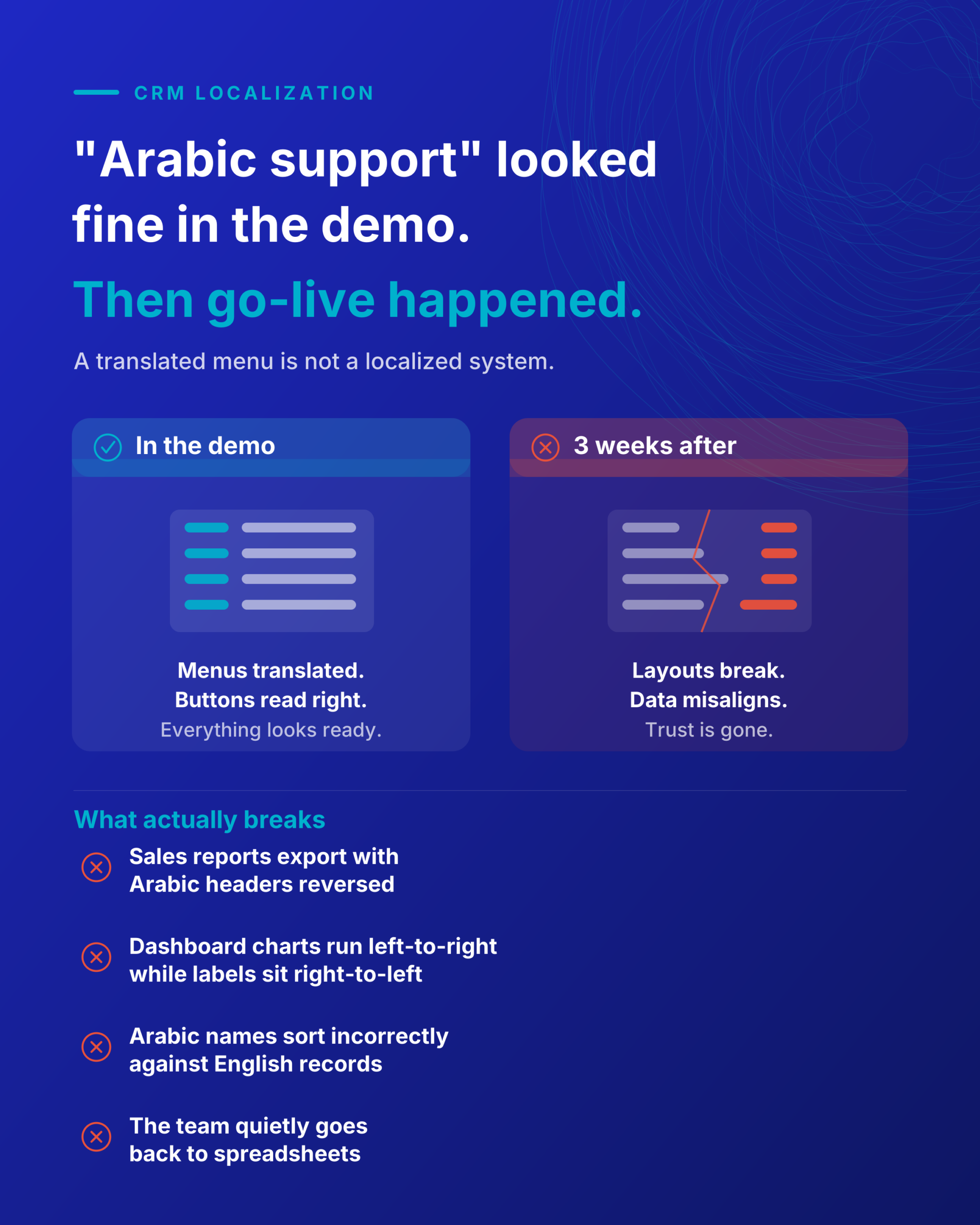
Here is the complication. When a business searches for a CRM “in Arabic,” the vendor demo usually looks fine: the menus are translated, the buttons read right. The problem surfaces three weeks after go-live. A sales report exports with the Arabic column headers reversed. The dashboard charts render left to right while the labels sit right to left. A customer’s name in Arabic sorts incorrectly against an English record. None of these appeared in the polished demo, and now the team quietly reverts to spreadsheets.
The real question about CRM Arabic support is not whether the platform speaks Arabic. It is whether Arabic is a first-class citizen in every screen your people touch, or a translation layer bolted onto a left-to-right product. That distinction is exactly where structured digital transformation consulting earns its keep, because it forces the evaluation before the contract, not after.
A CRM Arabic checklist you can run yourself
Use these five criteria to test CRM Arabic support on any shortlisted platform. Ask for a live trial and test each one directly, because a sales deck will not reveal the gaps.
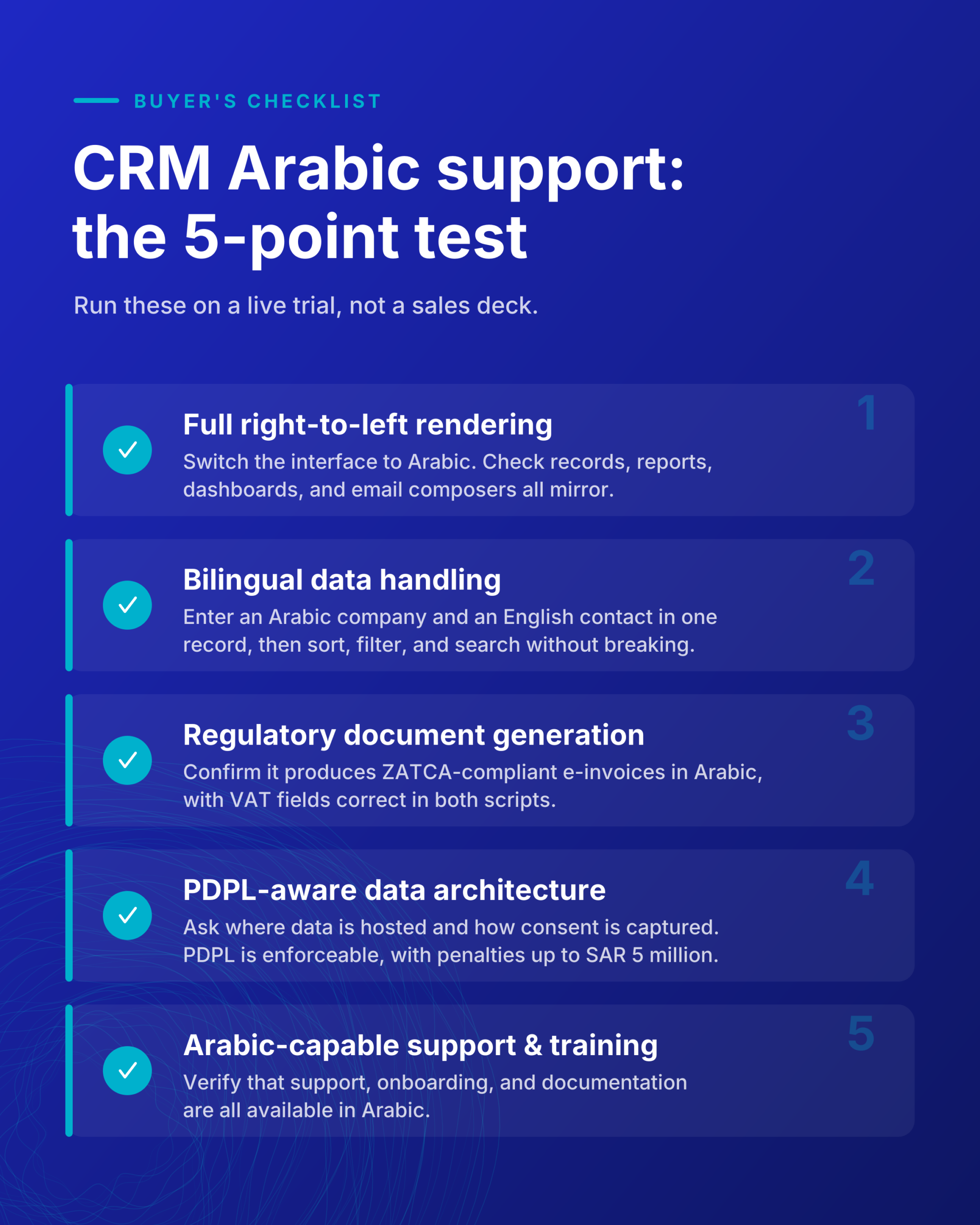
Full right-to-left rendering, not just translation. Set the interface language to Arabic and open the modules your team lives in: records, reports, dashboards, and email composers. Confirm the entire layout mirrors, so forms, fields, and buttons flow right to left. Zoho, for example, documents genuine RTL layout support where the standard left-to-right interface is mirrored across forms, reports, and pages (Zoho localization documentation). Test the edge cases: charts, exported PDFs, and mixed Arabic-English fields.
Bilingual data handling. Your records will contain both scripts. Enter an Arabic company name and an English contact in the same record, then sort, filter, and search. A well-localized CRM handles both without corrupting the display order or the sort logic.
Regulatory document generation. Any invoice or quote the CRM produces must align with Saudi tax rules. Confirm it generates ZATCA-compliant e-invoicing output in Arabic, and that VAT fields render correctly in both scripts.
PDPL-aware data architecture. The Personal Data Protection Law has been fully enforceable since 14 September 2024. SDAIA oversees it, penalties can reach SAR 5 million, and transferring personal data outside the Kingdom is restricted (IAPP analysis of the PDPL). Your CRM holds customer personal data by definition. Ask where that data is hosted, how consent is captured, and whether the platform supports the data subject rights the law requires.
Arabic-capable support and training. Localization fails at adoption if your team cannot get help in their language. Confirm that vendor and partner support, onboarding, and documentation are available in Arabic.
Where CRM Arabic demos quietly fall apart
Skip this section if your evaluation has already stress-tested exports and dashboards. If it has not, this is where deployments go wrong.
The failure is rarely the core interface. It is the periphery. Automated reports scheduled to email stakeholders arrive with broken layouts. Third-party integrations pass data back in the wrong direction. Custom fields added after launch do not inherit the RTL treatment. Mobile apps lag behind the web version, since RTL rollout on mobile modules often trails the desktop release.
These gaps do not show up in a one-hour demo because demos use clean, prepared data. They show up in month two with real records, real volume, and real edge cases. This is the practical case for treating CRM selection as a transformation project rather than a software purchase, and it is why experienced consulting includes a proof-of-concept phase using your actual data before any commitment.
How consulting turns CRM Arabic support into an adopted system
A CRM only returns value when people use it daily. Getting from a licensed platform to a genuinely adopted one depends less on the software and more on the implementation method around it.
That method is where a specialist partner matters. As a Zoho Inspire Partner of the Year in the Kingdom, Alnafitha IT approaches CRM localization as one layer of a broader digital transformation engagement rather than a standalone install. The sequence is deliberate. It starts with a business process assessment to map how your teams actually work. Then comes configuration and Arabic interface implementation, followed by data migration validated against real records. Integration with local payment and tax systems comes next. Training is delivered in Arabic at the end, so adoption holds.
This is the difference between buying a tool and building a capability. The Zoho CRM implementation service is scoped so the localization, compliance, and integration work happens before go-live, which is precisely when the periphery problems described above are cheapest to fix.
Making the decision
CRM Arabic support in Saudi Arabia is a solved problem when you evaluate it properly and implement it with discipline. The platforms exist. The compliance frameworks are clear. What separates a system your team adopts from one they abandon is the rigor applied before you sign: testing real RTL rendering across every module, verifying ZATCA and PDPL alignment, and sequencing the rollout so localization is designed in rather than patched later. Run the five-point checklist on your shortlist, insist on a proof of concept with your own data, and treat the selection as the transformation project it actually is.
If you want that evaluation done properly, with the compliance and localization work handled before go-live, talk to Alnafitha IT’s team and start with an assessment of how your business actually operates.
Frequently asked questions
Does Zoho CRM fully support Arabic and right-to-left layouts? Zoho provides Arabic language support with right-to-left layout across its products, where the interface mirrors so forms, reports, and fields display right to left. Coverage can vary by module and between web and mobile, so test the specific screens your team uses during a trial rather than relying on the general claim.
Is my CRM data subject to Saudi PDPL? Yes. A CRM stores customer personal data, which places it squarely within the Personal Data Protection Law, fully enforceable since September 2024 and overseen by SDAIA. Confirm your platform’s data hosting location, consent capture, and support for data subject rights before deployment.
Can a CRM generate ZATCA-compliant invoices in Arabic? Platforms with proper Saudi localization generate e-invoicing output aligned with ZATCA requirements, including correct Arabic and VAT field rendering. Verify this directly by generating a sample invoice during evaluation, since it is a common gap in platforms that only translate the interface.
How long does an Arabic CRM implementation take? Timelines depend on data volume, integrations, and customization, but a properly sequenced project runs through assessment, configuration, migration, integration, and Arabic training before go-live. A structured proof of concept on your real data early in the process is the most reliable way to avoid costly surprises after launch.
What is the difference between Arabic translation and Arabic localization in a CRM? Translation converts the interface text. Localization ensures the entire system works in an Arabic-first context: right-to-left layouts across all modules, correct bilingual sorting and search, region-specific compliance, and local payment and tax integration. A CRM can be translated without being localized, which is why demos can look complete while real deployments break.